Apple Warns iPhone Users: Update Now to Stop Web Attacks
Emily Davis ·
Listen to this article~5 min
Apple is sending urgent lock screen alerts to outdated iPhones and iPads, warning of active web-based attacks and urging immediate updates to protect against security threats.
So, here's something you don't see every day. Apple is actually pushing lock screen notifications directly to iPhones and iPads that are running older software. They're not just suggesting an update—they're practically begging users to install it right now.
Why the urgency? Well, it turns out there are active web-based attacks targeting these outdated devices. Think of it like leaving your front door wide open in a neighborhood where everyone knows you're on vacation. The threats are real, and they're happening right now.
### What's Actually Happening Here?
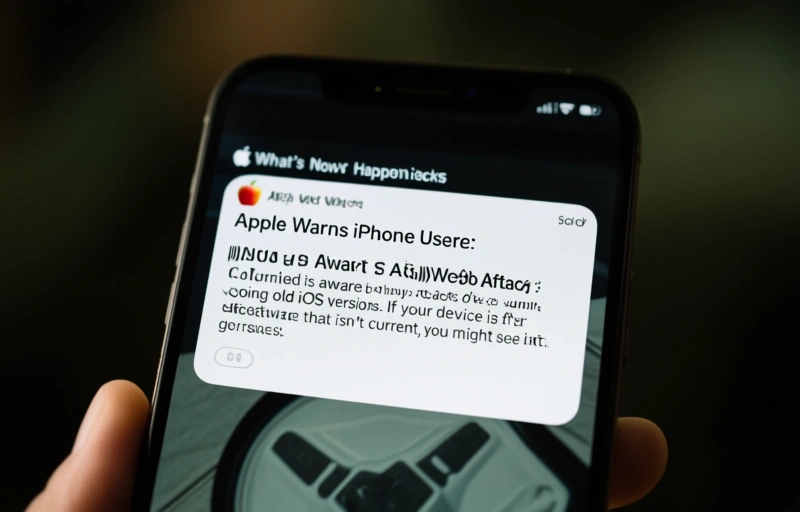
Apple has confirmed they're aware of specific attacks going after old iOS versions. If your device is running software that isn't current, you might see a message pop up right on your lock screen. It's not hiding in Settings or waiting for you to check for updates manually—it's front and center where you can't miss it.
The notification reportedly says something like: "Apple is aware of attacks targeting out-of-date iOS software, including the version on your iPhone. Install this critical update to protect your iPhone."
That's pretty direct for Apple, don't you think? They're usually more subtle about these things.
### Why Web-Based Attacks Are So Sneaky
Let's break this down a bit. Web-based attacks don't require you to download a suspicious app or click a weird link in an email. They can happen just by visiting a website that's been compromised. Your browser loads the page, and in the background, malicious code tries to exploit vulnerabilities in your operating system.
It's like walking through a crowded market where pickpockets work—you might not even realize something's wrong until it's too late. These attacks can:
- Steal your personal information without you knowing
- Install malware that runs in the background
- Gain access to your photos, messages, and financial apps
- Potentially lock you out of your own device
### The Update You Can't Afford to Skip
Here's the thing about software updates: most of us treat them like annoying pop-ups we'll deal with later. We hit "Remind me tomorrow" for weeks, telling ourselves we'll do it when we have more time or better Wi-Fi.
But this isn't one of those updates that just adds new emojis or changes how your Control Center looks. This is about security patches that close the doors attackers are trying to walk through right now.
Think about it this way—if your home security company called to say someone was trying to pick your lock, would you wait until tomorrow to change it? Probably not.
### What This Means for iPhone and iPad Users
If you're seeing this notification, your device is vulnerable. Plain and simple. The good news is that fixing it takes about 15 minutes and a stable internet connection. Here's what you should do:
- Don't ignore the lock screen alert if you see it
- Go to Settings > General > Software Update
- Make sure you're connected to Wi-Fi and have at least 50% battery
- Tap "Download and Install"
- Let your device restart when prompted
Yes, it might interrupt your scrolling for a bit. Yes, you might have to pause that podcast you're listening to. But compared to dealing with identity theft or a compromised device? Totally worth it.
### A Shift in How Apple Handles Security
This approach represents something new. Instead of quietly releasing security updates and hoping users find them, Apple is putting warnings right where people will see them. It's more proactive, more urgent, and honestly—more responsible.
As one security expert put it recently: "When the company that's known for its privacy stance starts pushing notifications this aggressively, you know the threat is serious."
They're not messing around with this one. And neither should you.
### The Bottom Line for Your Digital Safety
Look, I get it. Updates can be annoying. They change things, sometimes break apps temporarily, and always seem to come at the worst possible time. But here's the reality: the digital world has gotten more dangerous, and the people creating these threats are getting smarter.
Your iPhone or iPad is probably with you 90% of your waking hours. It has your photos, your messages, your banking apps, your email—pretty much your entire digital life. Protecting it isn't just about keeping the device working; it's about protecting yourself.
So if you get that lock screen notification, or if you haven't updated in a while, take the few minutes to do it today. Not tomorrow, not this weekend—today. Because the threats aren't waiting, and honestly, neither should you.