Firefox Now Includes Free Built-In VPN You Can Trust
Robert Moore ·
Listen to this article~5 min

Firefox now includes a free, trustworthy VPN built directly into the browser. This integrated tool encrypts your connection and masks your location, offering a convenient layer of privacy for sensitive browsing without needing a separate app.
You know that feeling when you're browsing online and you just want a little more privacy? Maybe you're checking your bank account at a coffee shop, or you're traveling and using public Wi-Fi. That's where VPNs come in—they create a secure tunnel for your data. And now, Firefox is making it easier than ever.
They've built a free VPN right into the browser. No separate apps to download, no complicated setups. It's just there when you need it. For those of us who value digital privacy, this is a pretty significant move.
### What This Built-In VPN Actually Does
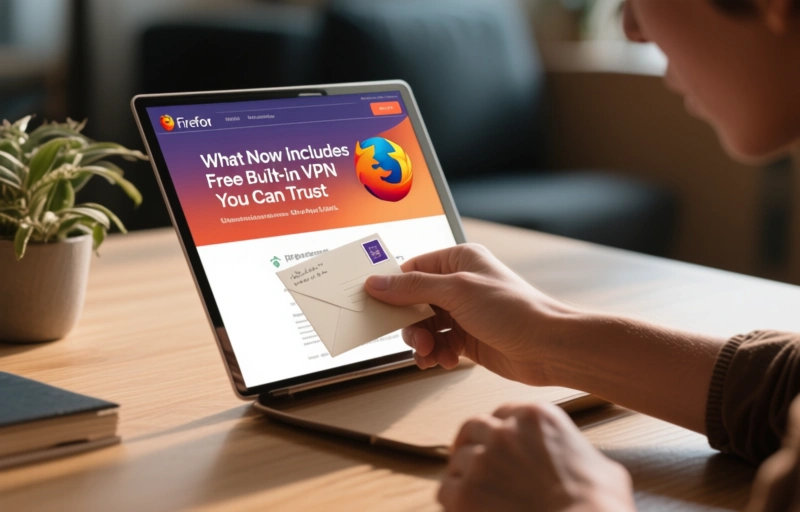
Think of it like this: normally, when you visit a website, your connection is like sending a postcard. Anyone along the way can peek at it. A VPN is like putting that postcard in a sealed, tamper-proof envelope. Firefox's new feature does exactly that.
It encrypts your connection, hiding your browsing activity from your internet service provider and the network you're on. It also masks your IP address, making it harder for sites to track your physical location. This is crucial for maintaining anonymity online, especially when managing multiple digital profiles.
### Why Trust Matters With Free Services
Let's be honest—when something is free, we often wonder what the catch is. With VPNs, the concern is real. Some free services log your data or inject ads. Mozilla, the organization behind Firefox, has built its reputation on privacy. They're a non-profit with a clear mission, not a data broker.
Their approach with this VPN is straightforward: provide a basic, reliable layer of protection without monetizing your personal information. It's a limited free tier of their paid Mozilla VPN service, designed to give you a real taste of security, not a compromised experience.

### How It Stacks Up for Professional Use
For professionals who rely on antidetect browsers and privacy tools, every layer counts. This built-in VPN isn't meant to replace dedicated, powerful antidetect solutions. It's a convenient, always-available first line of defense.
- **Convenience:** It's one-click activation directly in your browser toolbar.
- **Data Allowance:** The free version offers a limited amount of secure browsing per month—enough for sensitive tasks but not for all-day streaming.
- **Server Locations:** You get a selection of server countries to choose from, helping you appear to be browsing from a different region.
It's perfect for that quick session where you need an extra shield, integrated seamlessly into the workflow you already have.
### The Bigger Picture for Online Privacy
This move by Firefox feels like part of a larger shift. Browsers are becoming more than just windows to the web; they're becoming privacy hubs. By integrating a VPN, Firefox is putting a powerful tool in the hands of everyday users, lowering the barrier to entry for basic online security.
As one privacy advocate noted, 'The best security tool is the one you actually use.' By making it free and frictionless, Firefox is betting that more people will choose to turn it on. And in a world where digital footprints are constantly tracked, that's a bet worth making.
### Getting Started Is Simple
If you're using the latest version of Firefox, look for the VPN badge in your toolbar. Click it, sign in with your Firefox account, and toggle it on. That's it. Your connection is now encrypted. You can switch server locations or turn it off just as easily. It's designed to be unobtrusive but powerful when activated.
Remember, no single tool makes you completely anonymous online. But layers of protection—like a privacy-focused browser, a trustworthy VPN, and careful browsing habits—add up. Firefox's new built-in option is a welcome and trustworthy addition to that stack, especially for those moments when you need peace of mind without the hassle.