Firefox Now Includes Free VPN: What It Means for Privacy
Robert Moore ·
Firefox's new built-in free VPN feature simplifies online privacy. We break down how it works, who it's for, and what it means compared to professional antidetect browser tools.
So, Firefox just dropped a free VPN feature. You might have seen the headlines, but let's talk about what this actually means for you. Not just as a casual user, but especially if you're someone who values digital privacy and manages multiple online profiles. It's a pretty significant move in the browser wars.
For years, using a VPN meant installing a separate app, paying a monthly subscription, and dealing with another login. Firefox is baking it right into the browser. That's convenience you can't ignore. But as someone who lives in the world of antidetect browsers and digital footprints, I have some thoughts.
### How Does Firefox's VPN Actually Work?
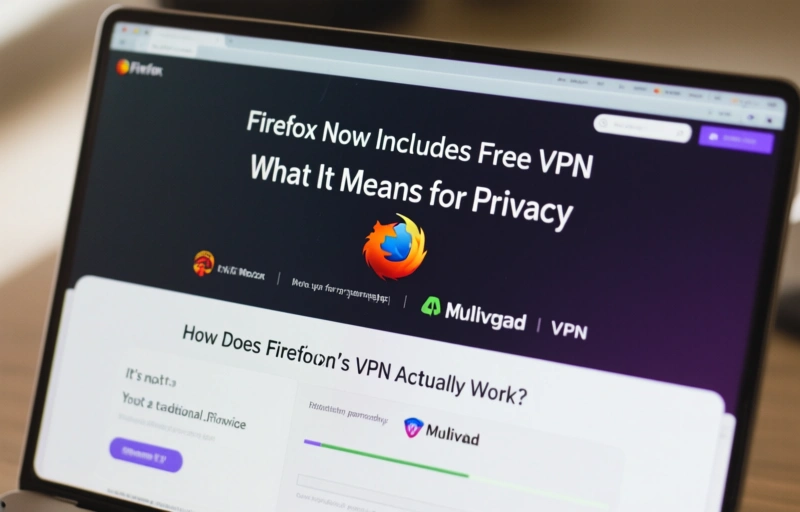
It's not a traditional VPN service you'd sign up for separately. Mozilla is leveraging its partnership with Mullvad VPN to offer this as a built-in feature for Firefox Premium subscribers in certain regions. The key word here is 'built-in.' You toggle it on directly in the browser's settings. No extra software, no complicated configuration. For the average person wanting to hide their IP address from a website or access geo-blocked content, it's a one-click solution.
But here's the thing. A browser-based VPN primarily protects the traffic from that specific browser window. It doesn't encrypt traffic from other apps on your computer, like your email client or a standalone messaging app. That's an important distinction.
### The Antidetect Browser Perspective
Now, if your work involves managing multiple accounts or you're deep into affiliate marketing, you're probably using specialized tools. Antidetect browsers like Multilogin, GoLogin, or AdsPower are in a different league. They don't just mask your IP; they create completely isolated browser environments with unique fingerprints.
- They spoof your canvas, WebGL, and audio fingerprints.
- They manage separate cookies and cache for each profile.
- They allow for precise geolocation simulation.
Firefox's new VPN is a layer of privacy, not a tool for anonymity or multi-account management. It's like putting a curtain on your window versus building a soundproof room with a fake door. Both have their place, but they solve different problems.
### Is a Free VPN Really Free?
Mozilla's model is interesting. They're a non-profit focused on an open web. Their revenue comes from search deals and, now, premium subscriptions that bundle the VPN. The promise is that your data isn't being sold. As one privacy advocate recently noted, "When a product is free, you are often the product. Mozilla's subscription model tries to flip that script."
Still, you have to trust Mozilla's infrastructure and their VPN partner. For basic privacy on public Wi-Fi or bypassing simple blocks, it's a fantastic, low-friction option. For mission-critical operational security, you'd still want a dedicated, paid VPN service with a proven no-logs policy and perhaps even an antidetect browser on top of that.
### Who Should Actually Use This Feature?
Let's be real. This is perfect for my sister who just wants to watch her favorite show while traveling. It's great for anyone who occasionally needs to check a website without revealing their home IP address. It adds a crucial layer of security when you're connecting from a coffee shop or airport.
For professionals who need robust isolation, fingerprint randomization, and automation? This is a complementary tool, not a replacement. You might use Firefox with its VPN for your personal browsing and your antidetect suite for work. Segmenting your digital life that way is actually a very smart practice.
### The Bigger Picture for Browser Privacy
This move by Firefox pressures other browsers to step up. Google Chrome and Microsoft Edge have their own security features, but a free, integrated VPN raises the bar. It makes basic privacy more accessible, which is a win for everyone. It normalizes the idea that your IP address shouldn't be broadcast to every site you visit.
In the end, tools are just tools. The most important thing is understanding what they do and, just as crucially, what they don't do. Firefox's new VPN is a welcome step toward a more private web for everyday users. It simplifies a complex topic. And in my book, anything that makes digital privacy easier to understand and use is a step in the right direction.