Shift.com CEO Neil Henderson on Customizable Browsers
Robert Moore ·
Listen to this article~5 min
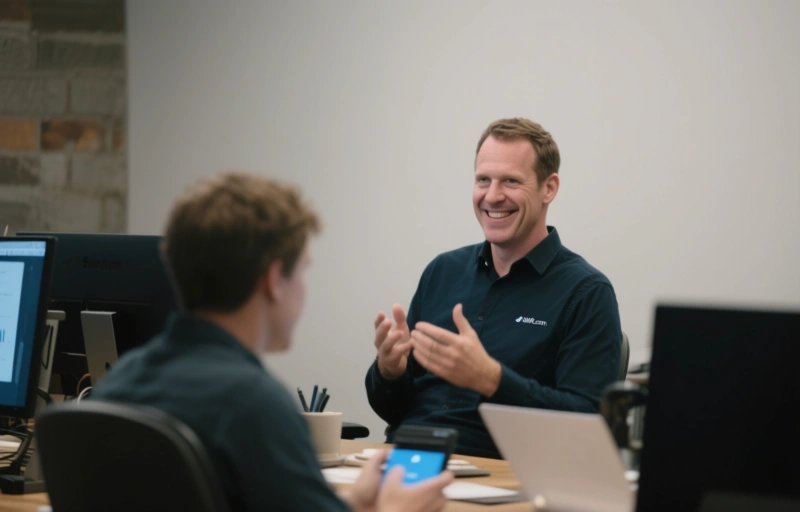
Shift.com CEO Neil Henderson discusses the rise of customizable browsers for professionals, explaining how deeper browser customization goes beyond basic settings to control digital fingerprints for legitimate work applications.
Let's talk about browsers. Not the ones you use to check email or scroll social media. I'm talking about the next generation—the customizable browsers that are changing how professionals manage their digital presence. Recently, I had the chance to dive deep into this world with Neil Henderson, the CEO of Shift.com.
You know how sometimes you feel like you're wearing the same digital outfit everywhere you go online? That's what standard browsers do. They leave the same fingerprints everywhere. But what if you could change that outfit depending on where you're going? That's the core idea Neil and his team are building on.
### What Makes a Browser Truly Customizable?
Neil explained it to me like this. Most browsers give you a few basic settings to tweak. Change your homepage, maybe install some extensions. But that's surface level. True customization goes much deeper. We're talking about modifying the fundamental ways a browser presents itself to websites.
Think about it like this. When you visit a website, your browser sends along dozens of pieces of information about itself. The exact version, your screen resolution, your timezone, even the fonts you have installed. All these little details create a unique fingerprint.
A customizable browser lets you control every single one of these elements. You can create different browser profiles that look and behave like completely different devices. It's not about hiding who you are—it's about having control over how you appear.
### The Professional Applications Are Real
This isn't just theoretical tech talk. Professionals across different fields are finding real uses for this technology. Digital marketers running multiple client accounts. E-commerce sellers managing different storefronts. Researchers who need to gather data without triggering anti-bot systems.
Neil shared a perspective that stuck with me. He said, "We're not building tools for anonymity. We're building tools for authenticity in multiple contexts." That distinction matters. It's about having the right digital presence for the right situation.
Here's what a well-configured customizable browser setup typically includes:
- Unique user agent strings for each profile
- Customizable screen resolutions and color depths
- Control over timezone and language settings
- The ability to manage cookies and local storage separately
- Different proxy configurations for different profiles
### The Balance Between Power and Responsibility
Of course, with this kind of power comes responsibility. Neil was clear about this during our conversation. These tools are meant for legitimate professional use cases. They're about efficiency and organization, not about circumventing terms of service or engaging in fraudulent activity.
He mentioned something interesting. The most successful users of customizable browsers aren't trying to be invisible. They're trying to be appropriately visible. They want their work in different contexts to remain separate and organized.
It's like having different workstations in your office for different projects. You wouldn't use the same physical computer for your day job and your side business. Why should your browser be any different?
### Where This Technology Is Heading
Looking ahead, Neil sees customizable browsers becoming more integrated into professional workflows. Not as niche tools, but as standard equipment for anyone who manages multiple online identities or projects.
The development focus is on making these tools more accessible. Better user interfaces. More intuitive profile management. Integration with other productivity tools. The goal is to make powerful customization available to professionals who aren't necessarily technical experts.
As Neil put it, "The future isn't about having one perfect browser. It's about having the right browser for the right task."
That's a shift in thinking—pun intended. We're moving away from the idea that one browser should serve all our needs. Instead, we're recognizing that different online activities require different approaches.
### Getting Started With Browser Customization
If you're curious about trying this approach, Neil suggests starting simple. Don't try to create ten different profiles on day one. Start with two. Maybe one for your main work and one for a specific project or client.
Pay attention to the details. Small inconsistencies in your browser fingerprint can actually make you more noticeable, not less. Consistency within each profile is key.
Most importantly, think about your actual needs. What problems are you trying to solve? More organized workflow? Better separation between projects? More efficient management of multiple accounts?
The tools are there. The technology is maturing. What matters now is how professionals like you and me choose to use them. Not to disappear, but to appear exactly as we need to for each part of our digital lives.
That's the real shift happening. Not in the technology itself, but in how we think about our relationship with the browsers we use every day.