Crypto Wallet Scams Hit Apple App Store in China
Emily Davis ·
Listen to this article~6 min

26 fake wallet apps infiltrated Apple's App Store in China, stealing seed phrases from users of Metamask, Coinbase, Trust Wallet, and OneKey. Learn how to spot these scams and protect your crypto assets.
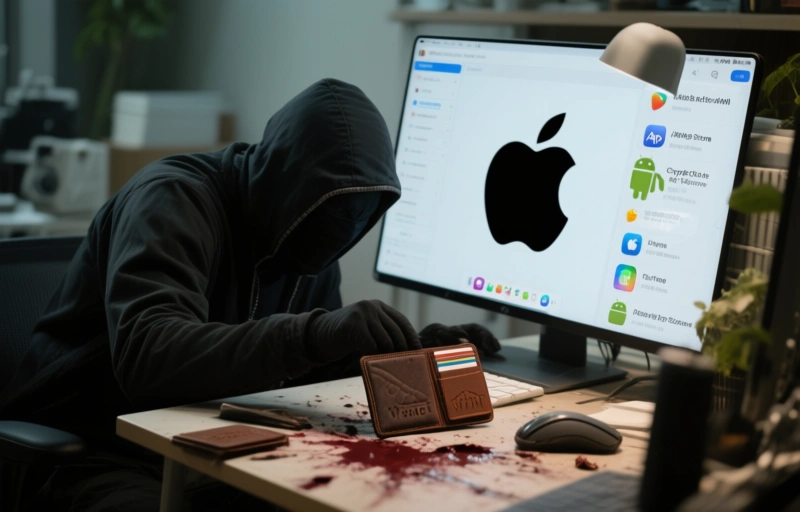
Imagine opening your wallet one morning and finding it completely empty. That's exactly what happened to dozens of cryptocurrency users in China recently, thanks to a clever but malicious scheme that slipped through Apple's defenses. A set of 26 fake apps made it onto the official Apple App Store, pretending to be popular wallets like Metamask, Coinbase, Trust Wallet, and OneKey. Their real goal? To steal your recovery or seed phrases and drain your crypto assets.
This isn't just a small blip on the radar. It's a wake-up call for anyone who uses mobile wallets, especially if you're relying on app store security alone. Let's break down what happened, how these scams work, and most importantly, how you can protect yourself.
### What Exactly Happened?
Apple's App Store is usually seen as a safe haven compared to Android's more open ecosystem. But this incident shows that no platform is completely immune. The attackers created apps that looked almost identical to legitimate wallet services. They used similar logos, names, and even descriptions to trick users into downloading them.
Once installed, these apps would ask for your seed phrase or private key. If you handed it over, the scammers could instantly transfer your funds to their own wallets. And since cryptocurrency transactions are irreversible, there's no way to get that money back.
- **26 malicious apps** were found on the App Store in China
- They impersonated **Metamask, Coinbase, Trust Wallet, and OneKey**
- The goal was to steal **seed phrases** and drain accounts
### Why This Matters for US Users
You might think this only affects people in China, but that's not true. The same tactics can easily be used anywhere. Scammers often test their methods in one region before expanding globally. Plus, with the rise of remote work and digital nomads, many US travelers might download apps while abroad, making them vulnerable.
The core lesson here is universal: **never trust an app just because it's in an official store**. Always double-check the developer, read reviews, and verify through official channels.
### How to Spot a Fake Wallet App
Fake apps are getting more sophisticated, but they still leave clues. Here's what to look for:
- **Check the developer name**: Legitimate wallets like Metamask are developed by well-known companies. If the developer name looks odd or misspelled, it's a red flag.
- **Look at download numbers**: A brand-new app with very few downloads claiming to be popular is suspicious.
- **Read recent reviews**: Scammers can buy fake positive reviews, but negative ones often slip through. Look for complaints about lost funds or phishing attempts.
- **Examine the app description**: Poor grammar or overly generic descriptions can be a sign of a fake.
### Why Seed Phrases Are So Valuable
Your seed phrase is essentially the master key to your crypto wallet. It's a set of 12 or 24 words that can restore your entire wallet on any device. If someone gets these words, they can access your funds from anywhere in the world. That's why legitimate wallets never ask for your seed phrase unless you're restoring a wallet on a new device.
"The only time you should ever enter your seed phrase is when setting up a new wallet or recovering an existing one. If an app asks for it without a clear reason, run." — Emily Davis, Head of Digital Privacy and Antidetect Browser Solutions
### Protecting Yourself with Antidetect Browsers
While this scam targeted mobile wallets, the same principles apply to your online activity. Antidetect browsers, like the ones we discuss here, help protect your digital identity by masking your browser fingerprint. They can prevent scammers from tracking your online behavior and targeting you with phishing attacks.
Using an antidetect browser adds an extra layer of privacy, making it harder for malicious actors to link your activities across different sites. This is especially useful if you manage crypto assets or handle sensitive financial transactions online.
### What to Do If You've Been Scammed
If you suspect you've downloaded a fake wallet app, act fast:
1. **Transfer your funds** to a new wallet immediately using a secure device.
2. **Change all passwords** associated with your crypto accounts.
3. **Report the app** to Apple and local authorities.
4. **Monitor your accounts** for any suspicious activity.
Remember, time is critical. The longer you wait, the more likely your assets will be drained.
### Final Thoughts
This incident is a stark reminder that security is a mindset, not just a feature. No app store can guarantee 100% safety. You need to stay vigilant, verify everything, and never let convenience override caution. Whether you're using a mobile wallet or browsing the web, always think twice before sharing sensitive information.
Stay safe out there, and keep your seed phrases offline.