U.S. and U.K. cyber agencies warn about Firestarter malware that persists on Cisco ASA and FTD firewalls even after updates. Learn how it works and how to protect your network.
Cybersecurity agencies in the U.S. and U.K. just dropped a major warning. There's a nasty piece of custom malware called Firestarter that's hiding out on Cisco Firepower and Secure Firewall devices. It's been found on systems running Adaptive Security Appliance (ASA) or Firepower Threat Defense (FTD) software. And here's the kicker: it sticks around even after you apply security patches and firmware updates. That's bad news for anyone relying on these firewalls for serious protection.
### How Firestarter Gets In
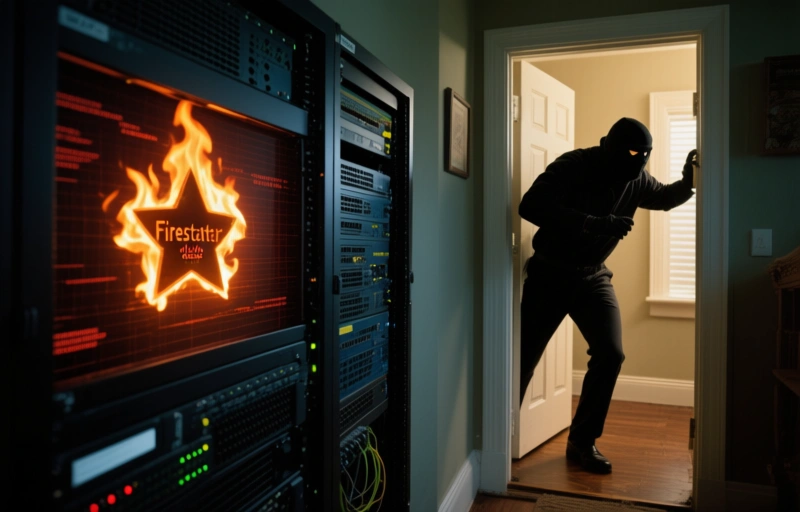
This malware isn't your run-of-the-mill threat. It's crafted specifically to target Cisco's firewall lineup. Think of it like a burglar who's already inside your house, hiding in the basement, and just waits for the alarm system to be turned off. Firestarter burrows deep into the device's operating system. It doesn't just sit on the surface. It modifies core files and processes, making it incredibly tough to detect with standard security tools.
### Why It Survives Updates
You'd think a simple firmware update would wipe it clean. But Firestarter is smarter than that. It's designed to persist through reboots, software upgrades, and even factory resets in some cases. The malware embeds itself in the boot process or critical system partitions. So when you update the firewall software, the malware just reinstalls itself from those hidden spots. It's like a weed that keeps growing back no matter how many times you pull it out.
### Who's at Risk
- **Organizations using Cisco ASA or FTD firewalls**: These are the primary targets. If you're running either of these, you need to check your systems now.
- **Government agencies and large enterprises**: The U.S. and U.K. agencies are specifically warning about targeted attacks on high-value networks.
- **Managed service providers**: If you manage firewalls for clients, a single compromised device could spread the infection across multiple networks.
### What Firestarter Does
Once inside, Firestarter gives attackers remote access to the firewall. They can steal data, monitor traffic, or use the device as a launchpad for other attacks. It's a backdoor that's almost invisible. The malware doesn't try to hide from antivirus software—it doesn't need to. It operates at a level where traditional endpoint protection can't even see it.
### Steps to Protect Yourself
First, don't panic. But do act fast. Here's what you should do right now:
- **Check for indicators of compromise**: Look for unusual processes, unexpected network connections, or changes in system files. Cisco has released specific IoCs for Firestarter.
- **Apply the latest patches**: Even though Firestarter can survive updates, newer patches might include detection or removal tools. Don't skip them.
- **Use antidetect browser solutions**: For your own web activity, an antidetect browser can help mask your digital fingerprint. This makes it harder for attackers to track you, even if they've compromised your firewall.
- **Isolate affected devices**: If you suspect an infection, disconnect the firewall from the network. Then work with your security team to wipe and reinstall the software from a clean source.
### The Bigger Picture
This isn't just a Cisco problem. It's a reminder that even the most trusted security hardware can be turned against us. Firestarter shows that attackers are getting better at targeting the very tools we use to protect ourselves. For professionals in the antidetect browser space, this is a wake-up call. Your own security stack needs constant vigilance.
### Final Thoughts
If you're running Cisco firewalls, don't assume you're safe just because you've applied the latest patches. Firestarter is a stubborn adversary. But with the right detection tools and a proactive security mindset, you can still stay ahead. And for your personal browsing, consider using an antidetect browser to add an extra layer of privacy. It's not a cure-all, but it's a smart move in a world where malware keeps getting smarter.
Stay sharp out there.